I Replaced Google Alerts With Ahrefs Firehose and Built a Brand Radar
This is Part 1 of a 4-part series. Each post walks through a real tool I built for my team at Morgen.
Google Alerts has been the default brand monitoring tool for years. It's also terrible: slow, noisy, misses half the web, and gives you zero control over what you're tracking. I finally replaced it with something that actually works.
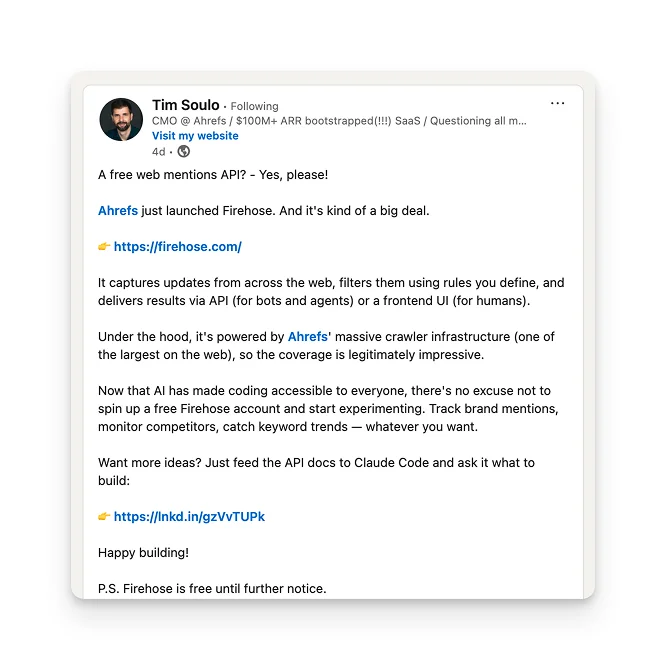
Ahrefs just launched Firehose, a real-time web monitoring API powered by their crawler infrastructure (one of the largest on the web). It's free during the beta, and it's the best Google Alerts alternative I've found.
What Firehose does (and Google Alerts doesn't)
Firehose monitors the entire web in real time and tells you when something matches your criteria. Someone publishes a blog post mentioning your brand? A competitor updates their pricing page? A new [keyword] listicle goes live, and you're not on it?
Unlike Google Alerts, you can filter by things like page type (article, listicle, product review), language, URL structure, and even whether a link was newly added. It's a programmable brand monitoring tool, not a keyword notification from 2005.
I took the free beta to heart and built 5 marketing tools for Morgen using the Firehose API. Every tool is a simple Node.js script. No databases. No servers to maintain. Just scheduled jobs that run once a day.
This post covers how Firehose works and walks through the first tool: a brand mentions radar that posts a daily digest to Slack.
How to set up a tap
A tap is basically your personal feed. Inside a tap, you create rules. Each rule is a query that describes what you want to catch.
Here's a rule in plain English: "Tell me when someone publishes a new article that contains the phrase '[brand] alternatives' on the domain [competitor 1]" (fill [brand] with your brand name and [competitor 1] with your competitor).
Here's what it looks like when you write it:
"morgen alternatives" AND domain:reclaim.ai AND page_type:"/Article"
The syntax is called Lucene, and it looks intimidating for about 30 seconds. You're just combining filters with AND, OR, and NOT.
The fields you can filter on are great for marketing use cases:
- "keyword" matches against new content added to a page (so you're catching fresh mentions, not old ones)
- domain locks it to a specific site, like
domain:techcrunch.com - title matches words in the page title
- page_type classifies pages automatically. You can target articles, listicles, how-to guides, pricing pages, news, product reviews... there are 110+ types
- page_category covers broader topic categories like /News, /Business_and_Industrial, /Computers_and_Electronics
- language filters by language code (en, de, fr, etc.)
- recent only matches pages published within a time window, like
recent:24horrecent:7d - URL patterns support wildcard or regex matching on URLs, useful for targeting
/blog/*paths or excluding/tag/*junk pages
You can combine any of these. For instance, want every new English-language listicle about calendar apps, excluding your own site?
"best calendar apps" AND page_type:"/Article/Listicle" AND language:"en" AND NOT domain:morgen.so
Each rule also has two toggles:
- Quality filter (on by default, strips out pagination pages, tag indexes, and other noise)
- NSFW filter (off by default)
Filters
You can create reusable queries like competitor domain lists or URL patterns, and instead of creating the same rule for every new tap, you can reference the filter with $filtername. Every time you update the filter, every rule using it updates automatically.
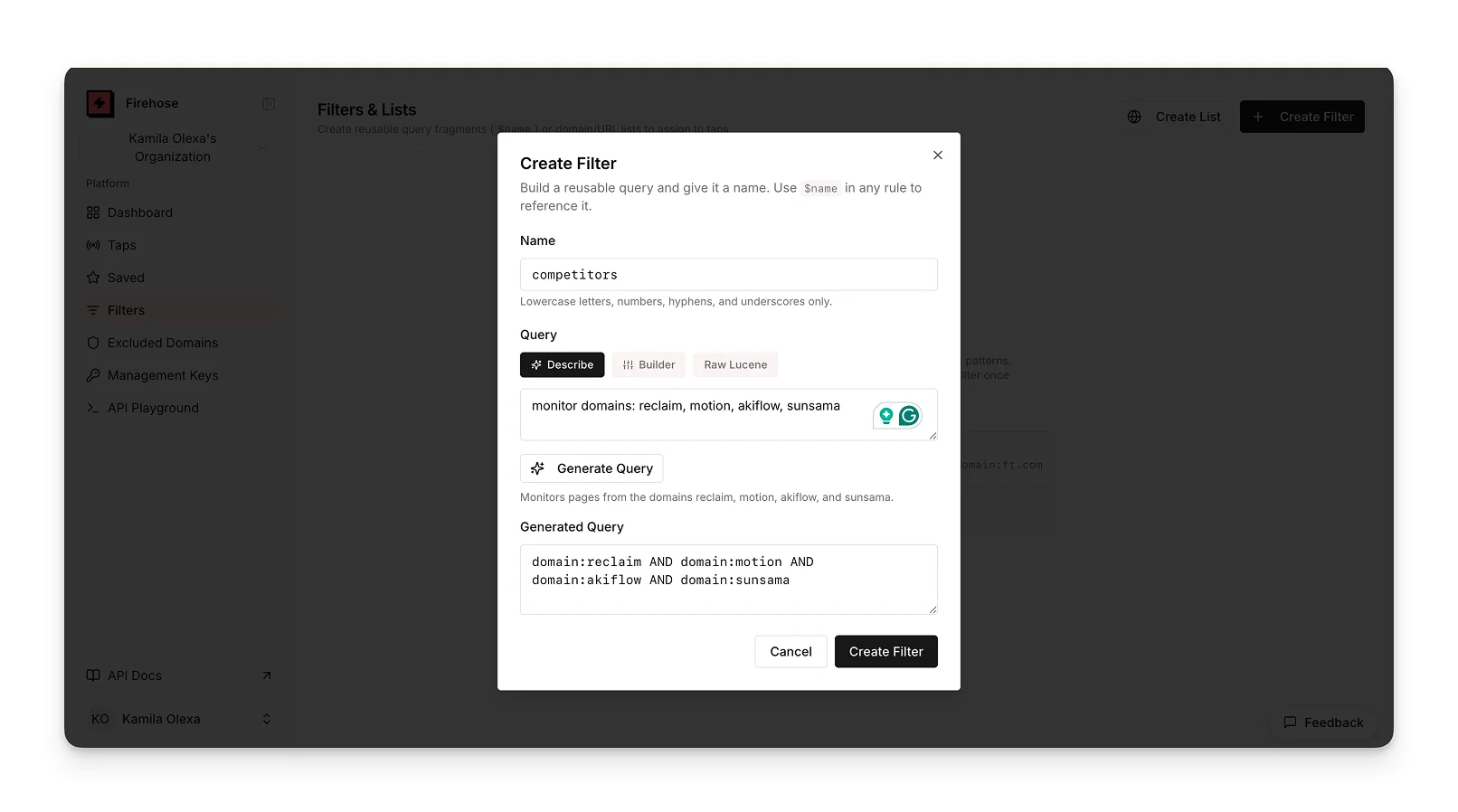
$competitors AND domains:x,y,z, referring to the competitor filter list instead of building it inline.The 24-hour buffer
Firehose keeps a rolling 24-hour buffer of all matched events. You don't need to keep a connection open 24/7.
All five of my tools run as a scheduled job (via GitHub Actions) that triggers once a day. The script connects, replays the last 24 hours of matches, processes them, and exits.
Tool #1: Brand Radar with daily updates in Slack
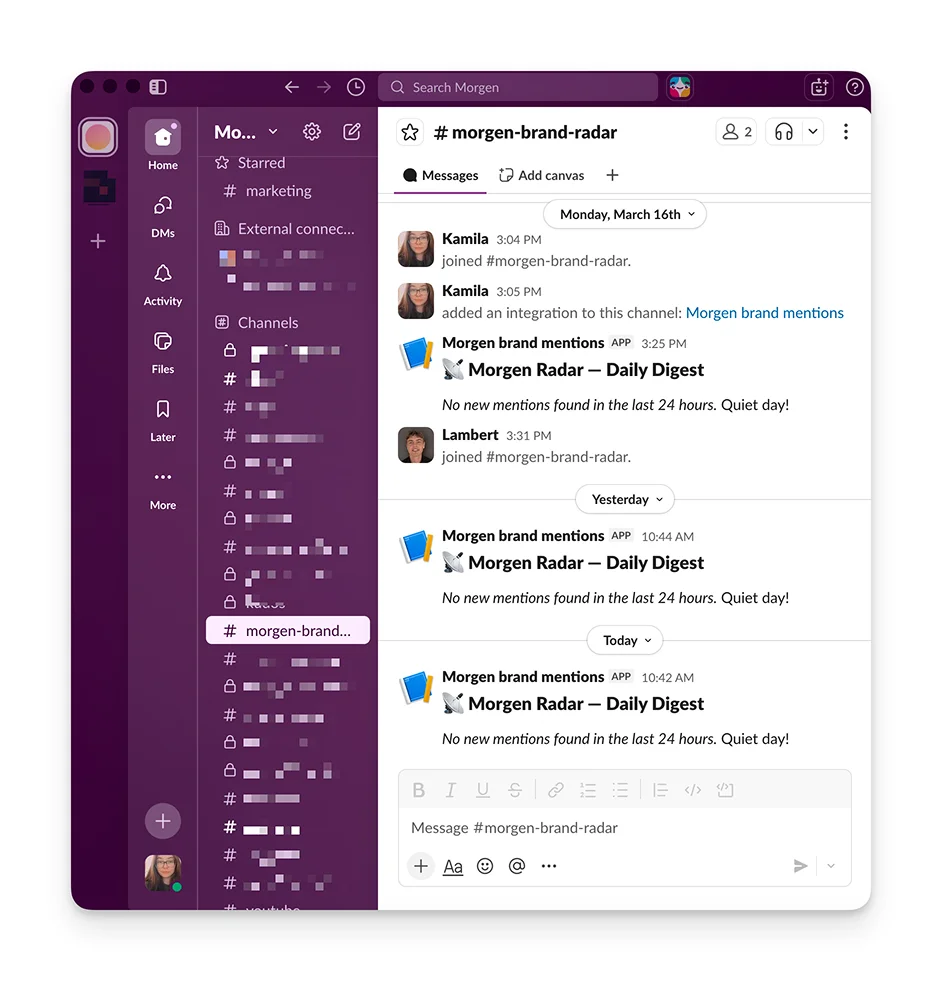
The idea: Know the moment someone mentions your brand anywhere on the web, delivered as one clean Slack message every morning.
The architecture looks like this:
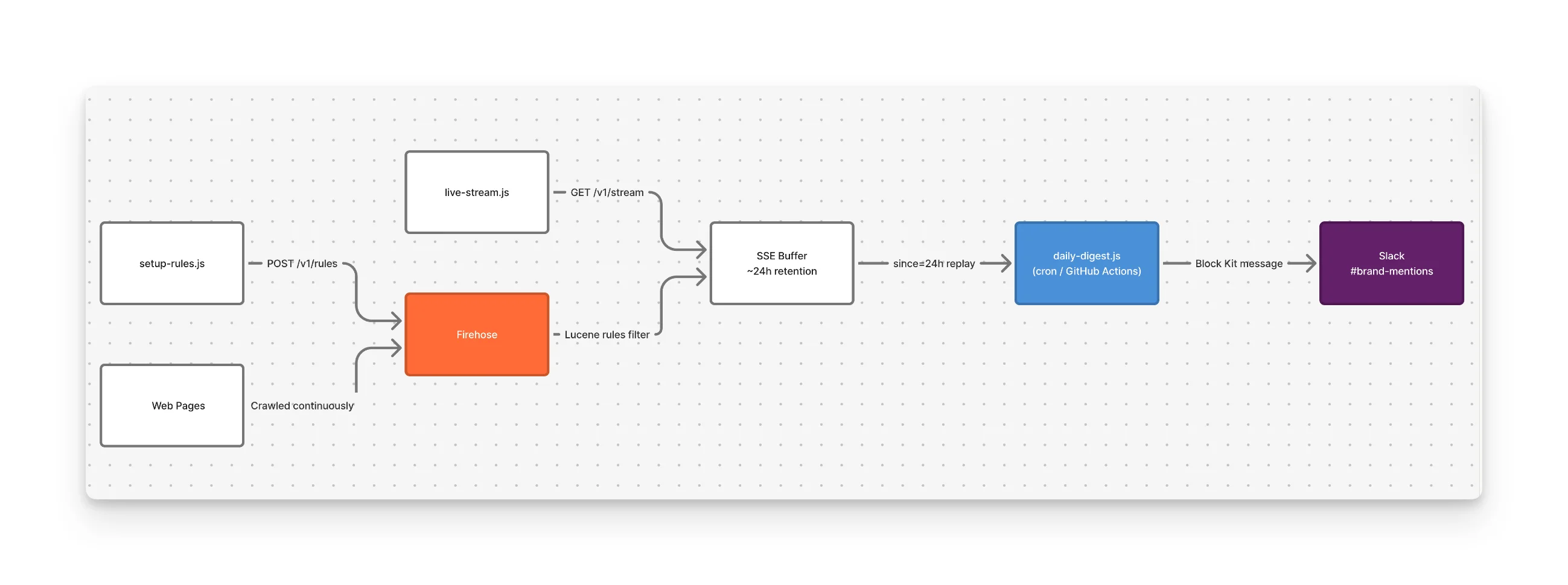
GitHub Actions (runs daily at 9 AM)
    -> Script connects to Firehose, replays last 24h
    -> Formats matches into a Slack message
    -> Posts via Slack Incoming Webhook
The tap rules I set up
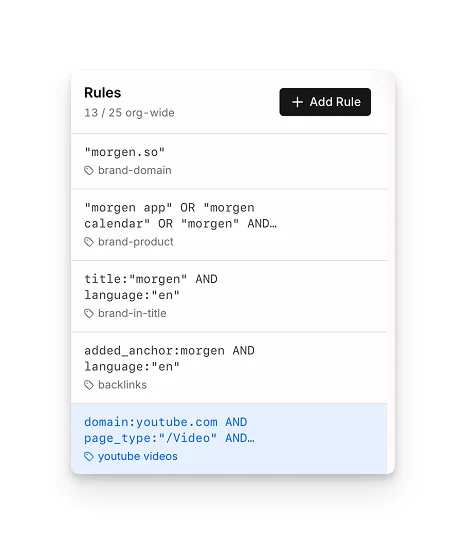
Rule 1, Domain mentions: Catches any page on the web that mentions morgen.so. Straightforward.
"morgen.so"
Rule 2, Product mentions: Catches product-name references that don't include the domain. Someone might write "I switched to Morgen calendar" without linking to us.
AND NOT language:"de" on every rule."morgen app" OR "morgen calendar" OR "morgen" AND NOT language:"de"
Rule 3, Headline mentions: Catches pages where "morgen" appears in the title.
title:morgen AND NOT language:"de"
Rule 4, New backlinks: Catches pages that just added a link pointing to morgen.so. The added_anchor field looks specifically at anchor text in newly inserted links.
added_anchor:morgen AND NOT language:"de"
Rule 5, Youtube video mentions: Youtube videos with morgen in the title in english language.
domain:youtube.com AND page_type:"/Video" AND title:morgen AND NOT language:"de"
That's 5 rules covering domain mentions, product name mentions, headline mentions, youtube reviews and new backlinks. Firehose allows up to 25 rules per account, so there's plenty of room to add competitor tracking or niche monitoring later.
Connecting everything together
What you need before you start:
- A Firehose account and a tap token (once you create a tap it's on the right hand side under Tap info, it starts with
fh_) - A Slack workspace where you can create an Incoming Webhook
Step 1: Create a Firehose tap and get your token.
Sign up at firehose.com, create a tap (give it a specific name, like "Brand Mentions"), and copy the tap token. That token is your API key.
Step 2: Create a Slack Incoming Webhook
Go to api.slack.com/apps, create a new app, enable Incoming Webhooks, and create a webhook pointed at the channel you want (e.g., #brand-mentions). Copy the webhook URL. This takes about 60 seconds if you've done it before, maybe 2 minutes if you haven't.
Slack Webhooks are the right choice when you need to post messages into a Slack channel from an external system.
Step 3: Store both in a .env file.
In your project folder, there will be a file called .env:
FIREHOSE_TAP_TOKEN=fh_your_token_here
SLACK_WEBHOOK_URL=https://hooks.slack.com/services/your/webhook/url
The .env file is just a text file that stores secrets. Your code reads from it, so you never hardcode API keys. Every tool in this series uses one.
.env to your .gitignore before pushing to GitHub. If you accidentally commit a token, revoke it immediately in the Firehose dashboard.Step 4: Create the rules.
Run npm run setup. This reads your rule definitions for taps and creates them in Firehose via the API. You only do this once (or again if you change your rules).
Under the hood, it's making POST requests https://api.firehose.com/v1/rules with your query and tag. You could also do this with curl if you wanted:
curl -X POST \
  -H "Authorization: Bearer $FIREHOSE_TAP_TOKEN" \
  -H "Content-Type: application/json" \
  -d '{"value": "\"morgen.so\"", "tag": "brand-domain"}' \
  https://api.firehose.com/v1/rules
Step 5: Test it.
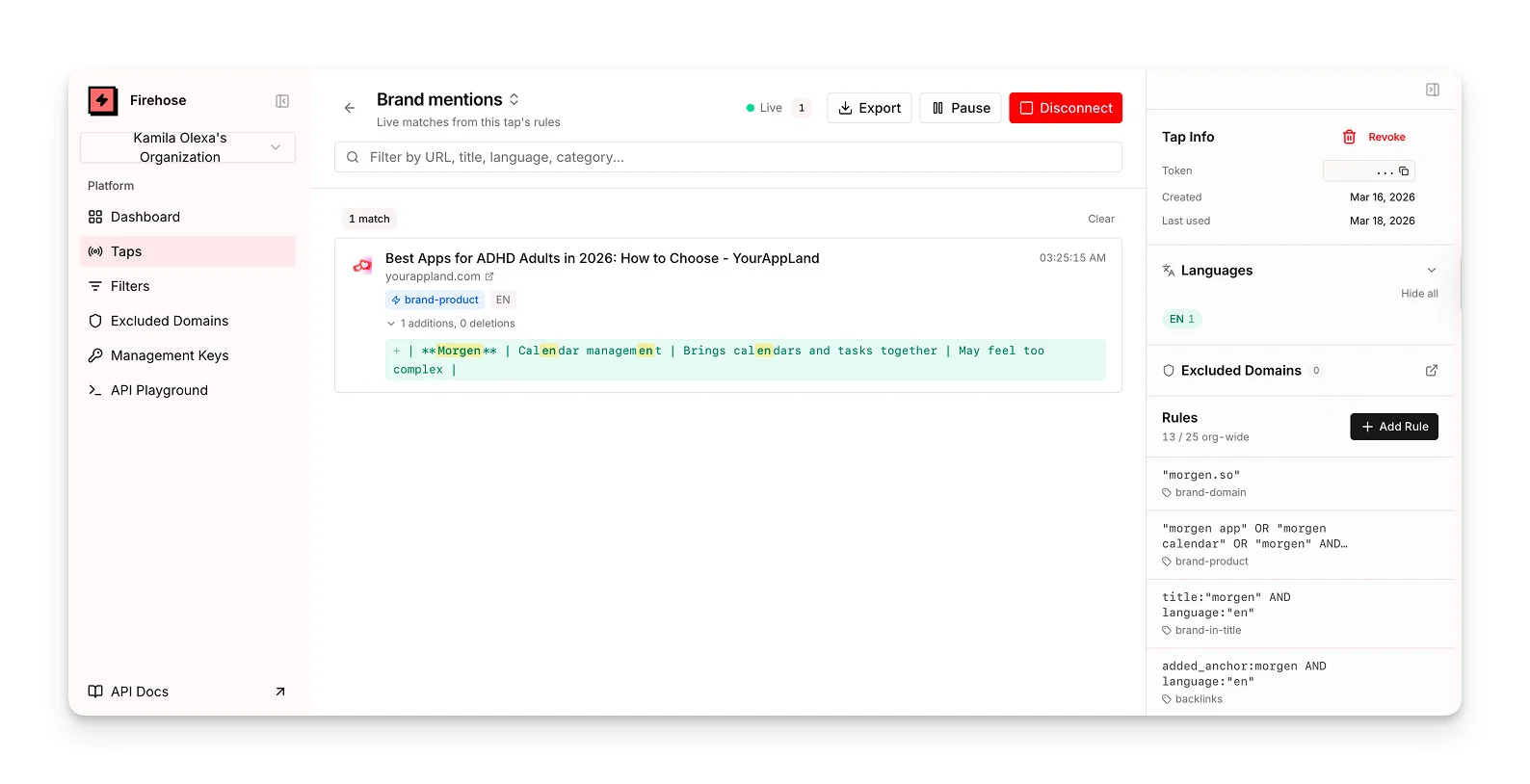
Run npm run test for a dry run. It connects to Firehose, replays recent matches, and prints them to your terminal instead of posting to Slack. You'll see the actual pages that matched, which is useful for tuning your rules.
Step 6: Schedule it.
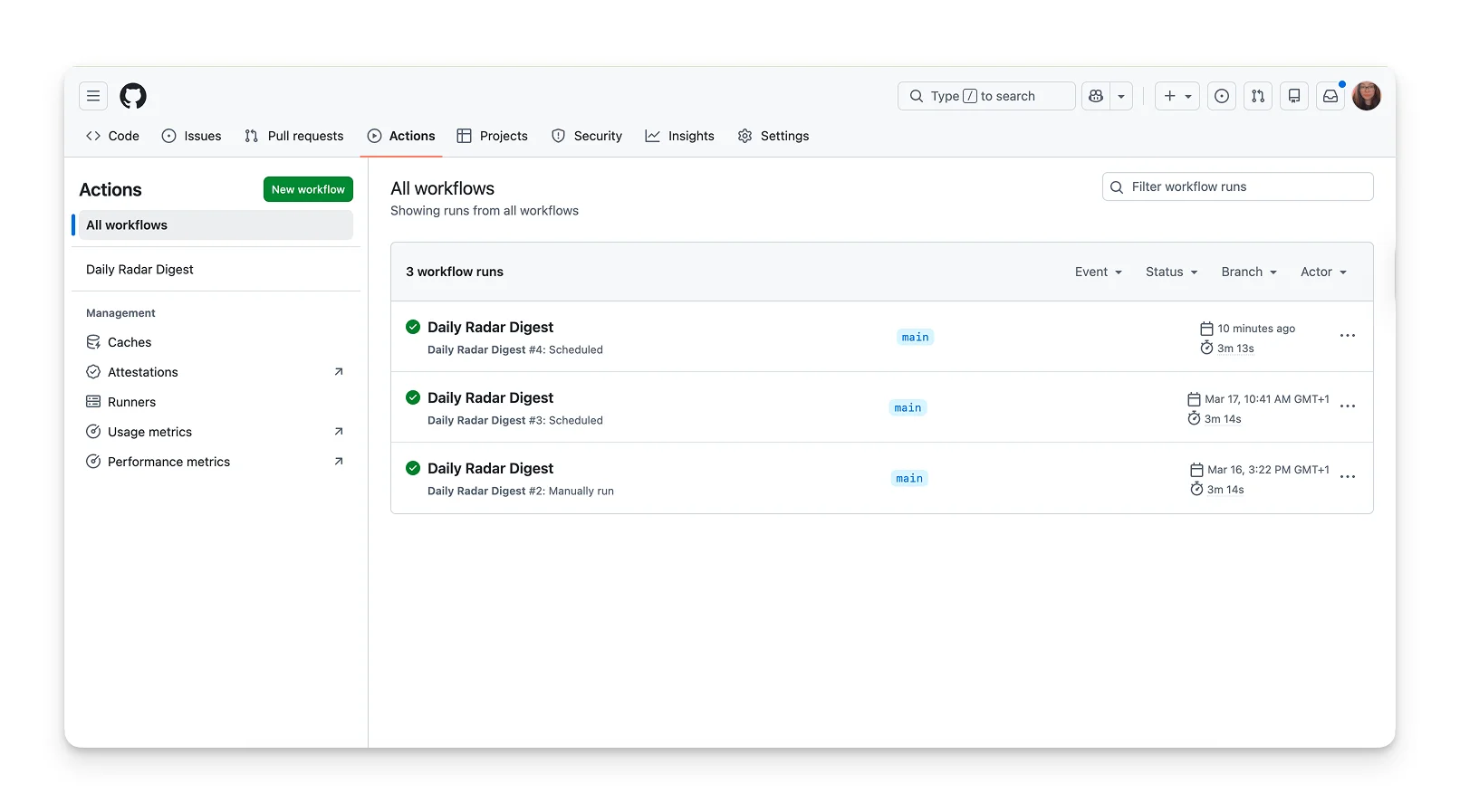
The easiest way: a GitHub Actions workflow that runs daily.
- Push your code to a GitHub repo
- Add your two secrets (
FIREHOSE_TAP_TOKENandSLACK_WEBHOOK_URL) under Settings > Secrets, and add a workflow file.
Tell Claude you want to create Github Action for this tool and it will automatically create YAML file for you that you can push to Github.
GitHub Actions is free for public repos and has a generous free tier for private ones. No server, no hosting costs. It just runs your script on schedule and shuts down.
My 24h learnings
- Set up your filters and see how they react (I prefer not to overfilter the first run)
- You can ignore specific domains that appear in your feed manually, or export the feed, put it in Claude, and ask it to find patterns and adjust the rules for you
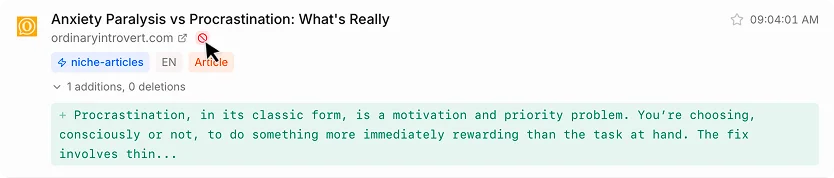
The pattern behind all 5 tools
Here's why I'm starting with a Brand Radar even though it's the simplest: it introduces the pattern that every tool in this series follows.
- Firehose catches the change.
- Claude processes it.
- The result lands where you work.
For the Brand Radar, the "processor" is just a formatting script, and the output is Slack.
Coming up next
Part 2 covers the Competitor Pricing Tracker, the tool that detects when a competitor changes their pricing, automatically rewrites the pricing sections in your blog posts, and asks for your approval in Slack before publishing to Webflow.
It's the most dramatic of the five because it solves a problem every content team has: comparison posts that go out of date.
All code is open-source Node.js. (Claude will build it for you). You'll need a Firehose account, a Claude account, and Slack.