


What Do You Use? (WDYU)
Coming SoonOpen WDYU on any website and instantly see every ad pixel, analytics platform, CRM, and tool they're running, organised by category in under a second. Built for marketers, growth teams, and agency folks.
One click. Full stack.
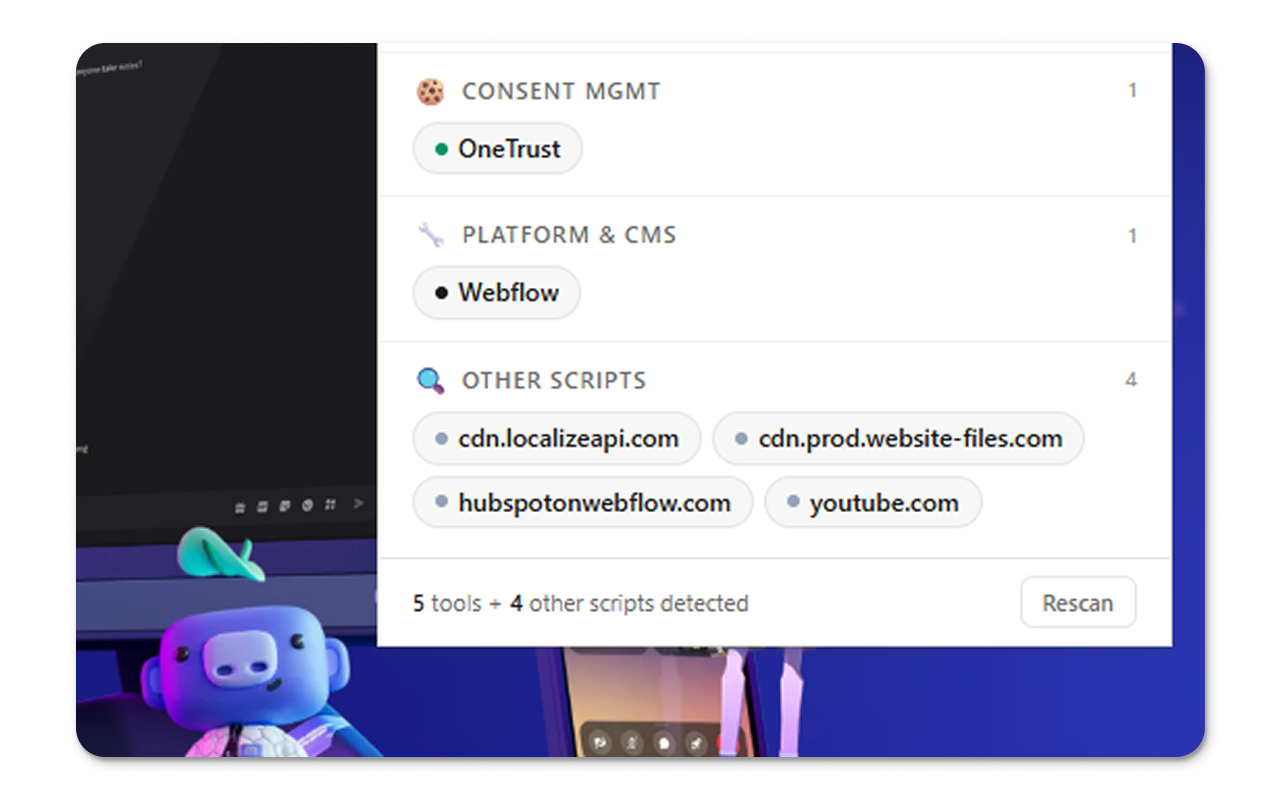
Land on a competitor's pricing page, open WDYU and see all ad pixels, analytics, or CMS tools they use. Everything, categorised and readable in seconds.
Three steps. No setup.
- 01Install the extensionAdd WDYU from the Chrome Web Store. No signup, no account, no API key. One permission: read the active tab.
- 02Open it on any siteNavigate to any website, a competitor, a prospect, a client. Click the WDYU icon in your toolbar.
- 03See the full stackResults appear in under a second, sorted into 10 categories. GTM-injected pixels, lazily loaded chat widgets, consent tools, all visible.
Built for growth teams and agency folks.
See which ad networks a competitor runs, which CRM powers their lead flow, and whether they're running retargeting. No source code access needed.
Walk into a demo knowing exactly what their current stack looks like. Spot integration opportunities and personalise your pitch.
Check what a new client actually has running before the kickoff call. Verify what they told you, find tracking gaps, audit pixel configurations.
Live vs cached.
BuiltWith and Wappalyzer analyse crawled snapshots. WDYU runs in your browser on the live page, with your cookies, your consent state, your location.
Pixels fired by Google Tag Manager only exist in the DOM after GTM runs. Because WDYU scans after full page execution, it catches them no matter how deeply nested.
Unknown Script Detection flags any third-party domain that doesn't match a known tool. Custom tracking setups and self-hosted tools still get surfaced.
No backend. No telemetry. No accounts. WDYU reads the page you're on and shows you the result. Nothing is sent, stored, or shared.
Frequently asked questions.
How does it detect tools?+
WDYU scans the live, rendered page (not cached HTML). It checks window globals, script src attributes, inline script content, cookies, localStorage, and DOM elements. This means it catches tools loaded dynamically by GTM, tools behind consent gates, and tools bundled into app JS.
Does it send my data anywhere?+
No. Everything runs 100% locally in your browser. WDYU has no backend, no telemetry, no accounts. The only network requests are the ones the page itself makes.
What's the Unknown Script Detector?+
Any third-party script domain we don't recognise is surfaced in an Unknown section. This catches custom tracking setups, tools not yet in the database, and anything that looks like a pixel but doesn't match a known vendor.
Does it catch GTM-injected pixels?+
Yes. Because WDYU reads the fully rendered page after all JavaScript runs, pixels fired by GTM (Facebook Pixel, LinkedIn Insight, etc.) are already in the DOM and window by the time the scan runs.
Why does it sometimes miss tools?+
A few scenarios cause misses: tools loaded only after user interaction, tools blocked by your own ad blocker before the scan runs, or self-hosted tools on custom subdomains. The Unknown Script Detector surfaces unrecognised external domains so you can investigate manually.
How is this different from BuiltWith or Wappalyzer?+
BuiltWith and Wappalyzer analyse crawled snapshots of pages. WDYU runs live in your browser on the page you're actually viewing, with the same cookies, consent state, and geolocation as you. You see exactly what tracking is active for a real user session.
See what any site is really running.
One click on any website. Every marketing tool, ad pixel, and integration, visible in under a second.
Coming Soon