
The Competitor Monitoring Tool I Built With Ahrefs Firehose and Claude
Part 2 of a 4-part series on building marketing tools with Firehose.
"How can I keep my articles always up to date with the most recent info?" With competitor focused content becoming more popular these days, it's a question you should ask yourself as well.
You publish a detailed comparison post. "Competitor Y vs Competitor Z vs You." It ranks. It drives signups. 2 weeks later, Competitor Y quietly changes their pricing. Your post now has wrong numbers. You don't notice. Your readers do. The world is in ruins.
Well don't fret! The second competitor monitoring tool I built solves this. And you can build it too.
It watches competitor pricing pages, detects when something changes, figures out which of your blog posts mention said competitor, rewrites just the pricing sections, and asks you to approve the update in Slack before pushing it live. Automated competitor pricing analysis, end to end.
The pipeline
Competitor /pricing page changes
    ↓  Firehose detects the change
Claude extracts structured pricing (tiers, prices, features)
    ↓
Script scans your Webflow blog posts for mentions of that competitor
    ↓
Claude rewrites just the pricing sections
    ↓
Posts a summary to Slack with proposed changes
    ↓
You react with ✅ to approve
    ↓
Updated posts pushed to Webflow and published
Six steps and four services you need: Firehose, Claude, Slack, Webflow.
Step 1: Watching competitor pricing pages
Firehose won't monitor the whole web for mentions of your competitor, but specific URLs. You guessed it, it's your competitors' pricing pages.
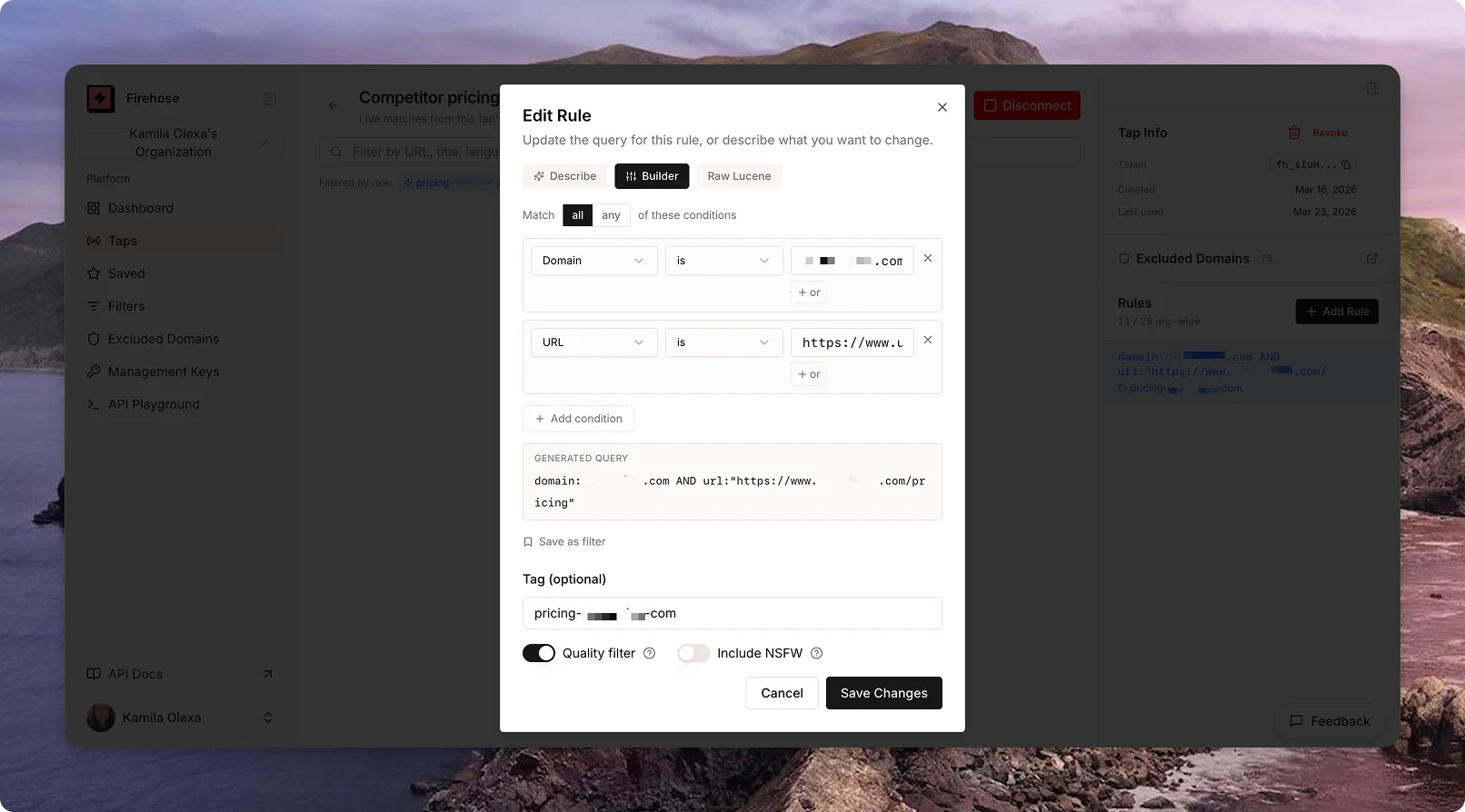
The config file lists each competitor:
competitors: [
  {
    name: "Competitor 1",
    nameVariations: ["Competitor 1", "Competitor 1 app"],
    domain: "competitor1.com",
    pricingUrls: ["https://www.competitor.com/pricing"],
    hints: "Teams and Individual plans with annual/monthly billing.",
  },
  {
    name: "Competitor 2",
    nameVariations: ["Competitor 2", "Competitor 2 ai"],
    domain: "competitor2.ai",
    pricingUrls: ["https://competitor2.ai/pricing"],
    hints: "Free, Starter, Business, Enterprise tiers.",
  },
]
The nameVariations field is how the script knows which blog posts mention this competitor. You need to map how you refer to your competitors in your content, e.g. "Competitor 1" might appear as "Competitor 1" or "Competitor 1 app".
hints field gives Claude context about what to expect on the pricing page: tier names, billing structure. It's optional, but it makes extraction more reliable because Claude knows what to look for. I filled it in manually to be sure of the structure.The setup script converts these into Firehose rules. Each pricing URL becomes a rule using the url field:
url:"https://www.competitor1.com/pricing"
Since we're watching for any change to these specific pages, we disable the quality filter (which normally limits results to pages published in the last 7 days. Pricing pages aren't "published," they're updated):
{ "value": "url:\"https://www.competitor1.com/pricing\"", "tag": "competitor-pricing", "quality": false }
Step 2: Extracting competitor pricing data with Claude
When Firehose catches a change, the script gets the full page content as markdown (Firehose includes this in every match). That markdown goes to Claude with a prompt like:
Here's a pricing page. Extract every plan tier with: tier name, price, billing cycle (monthly/annual), and a short feature summary. Return structured JSON.
Claude comes back with:
{
  "competitor": "competitor 1",
  "tiers": [
    { "name": "Pro AI", "price": "$19/seat/mo", "billing": "annual", "features": "..." },
    { "name": "Business AI", "price": "$29/seat/mo", "billing": "annual", "features": "..." }
  ]
}
sk-ant-), and add it to your .env file. Pricing is per-token. For this use case, you're looking at a few cents per run. We're sending one pricing page and getting back a small JSON blob.The hints field from your config gets included in the prompt, so Claude knows the expected tier structure and is less likely to hallucinate or misparse tables.
Step 3: Finding your blog posts that mention the competitor
Now the script needs to answer: which of our blog posts talk about this competitor?
In this case I am using Webflow, but you can adjust this part to your situation.
It pulls all posts from your Webflow CMS collection using the Webflow API, then scans the content fields for the competitor's name variations. If your post's body contains "competitor 1" or "competitor 1 app," it's a match.
The config tells the script which Webflow fields to scan:
webflow: {
  siteId: "your-site-id",
  blogCollectionId: "your-blog-collection-id",
  fieldsToScan: ["blog-content", "key-takeaways", "conclusions", "blog-summary"],
}
npm run webflow:sites lists your sites with IDsnpm run webflow:collections lists CMS collectionsnpm run webflow:fields lists all fields on your blog collection
For the Webflow API token: go to your site's Settings → Apps & Integrations → Generate API Token. Make sure it has both read and write permissions (read to scan posts, write to update them later).
Step 4: Claude rewrites only the pricing sections
Claude doesn't rewrite your whole post. It gets the full post content plus the new structured pricing, and its job is to find and replace only the parts that reference that competitor's pricing.
If your post says "competitor 1's Pro plan starts at $15/month" and the new pricing is $19/month, Claude updates that sentence. The rest of your post (your analysis, your opinions, your CTAs) stays untouched.
The output is the updated HTML for each affected field, ready to push to Webflow.
Step 5: Slack approval
The script doesn't publish without your permission. It sends a Slack message that looks like this:
💰 Competitor Pricing Changes Detected
──────────────────────────────────────
Motion — pricing page updated
  • Pro AI: $19/seat/mo (annual)
  • Business AI: $29/seat/mo (annual)
──────────────────────────────────────
2 blog post update(s) ready:

📝 "Best Project Management Tools 2025"
  Field: blog-content · Competitor: Motion
  Changes: Updated Pro AI price from $15/mo to $19/mo

📝 "Motion vs Reclaim: Full Comparison"
  Field: blog-content · Competitor: Motion
  Changes: Updated both tier prices, added new Enterprise tier
──────────────────────────────────────
React with ✅ to approve and publish.
You read the summary. If it looks right, react with ✅. The bot picks up the reaction, pushes the changes to Webflow, publishes the updated posts, and confirms in a thread reply.
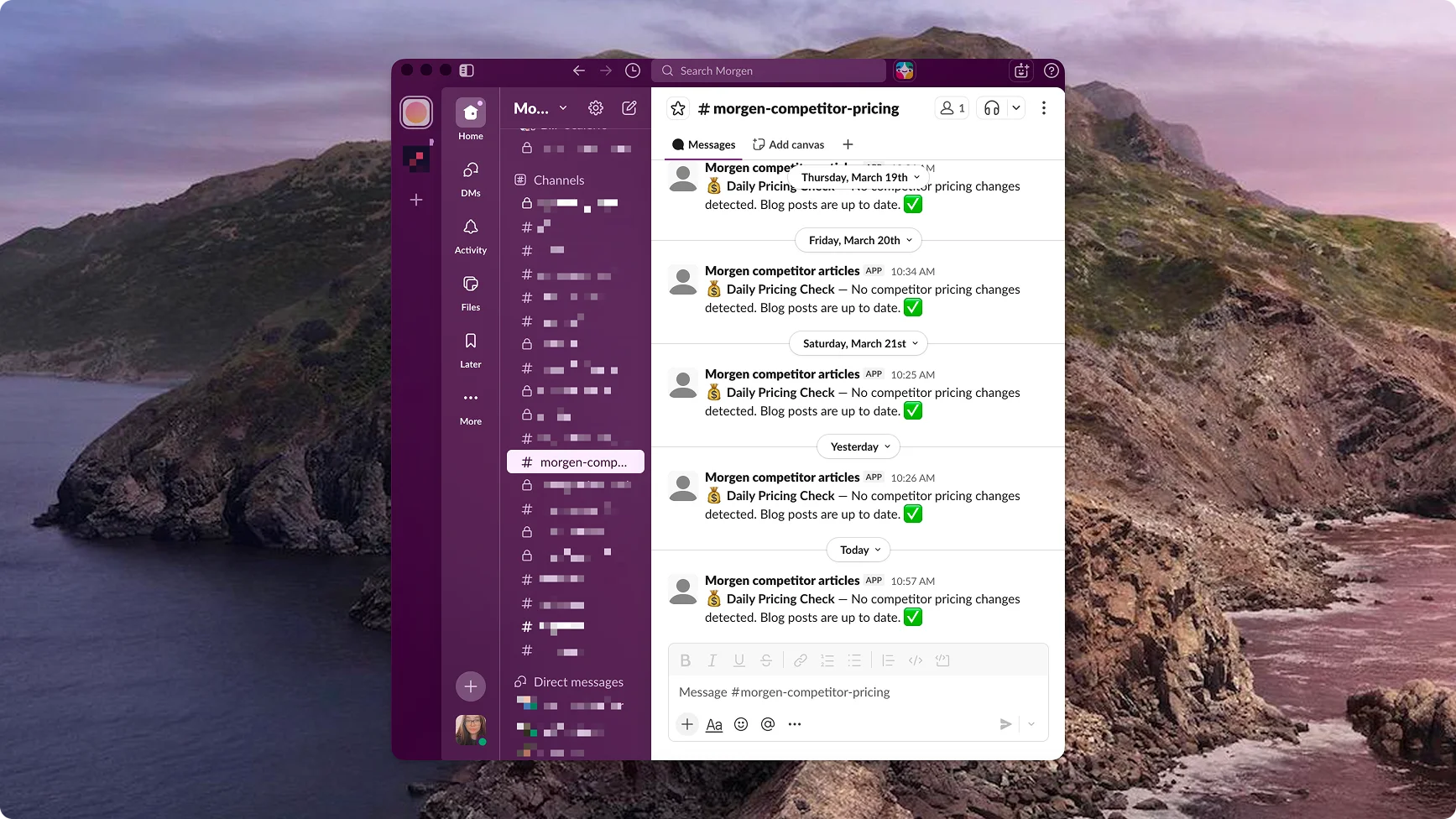
xoxb-...) rather than the simpler Incoming Webhook from Part 1. That's because it needs to both post messages and read your reactions. You create a Slack app at api.slack.com/apps, add the chat:write and reactions:read scopes, install it to your workspace, and invite the bot to your channel. A bit more setup than a webhook, but still under 10 minutes.Step 6: Push to Webflow
Once approved, the script calls the Webflow CMS API to update each affected item's fields and publishes the changes. Your blog posts now have correct pricing. Your readers see accurate numbers. You didn't manually edit anything.
Full setup checklist for this competitor tracking tool
Five things in your .env:
- FIREHOSE_TAP_TOKEN → Your Firehose tap token (
fh_...) → firehose.com dashboard - ANTHROPIC_API_KEY → Claude API key (
sk-ant-...) → console.anthropic.com - WEBFLOW_API_TOKEN → Webflow CMS token → Site Settings → Apps & Integrations
- SLACK_BOT_TOKEN → Slack bot token (
xoxb-...) → api.slack.com/apps → OAuth - SLACK_CHANNEL_ID → Channel to post in → Right-click channel in Slack → Copy link → ID is at the end
Then:
- Edit
pricing.config.jswith your competitors and Webflow IDs npm run setupcreates the Firehose rulesnpm run testdry-run to see what would changenpm run slack:botrun the full flow locally- Push to GitHub and add your secrets for daily scheduling
Next up
Part 3 bundles two tools to help you with "What should we create next?" The Content Gap Radar finds topics competitors are covering that you aren't. The Trend Radar spots breaking stories in your niche before they peak. Both push ready-to-use briefs to Notion.